Billable utilisation vs margin: why a full schedule can still lose money
By Huw Cushing, Founder, Sprintora · · 5 min read
Billable utilisation is the number most agencies watch, and it is easy to see why. It is simple to calculate, it moves in the right direction when the team is busy, and it feels like proof the studio is doing well. The trouble is that utilisation measures how busy people were. It does not tell you whether the work paid.
This guide sets out the utilisation rate formula, shows where utilisation and margin disagree, and explains how to read the two together so a full schedule actually turns into profit.
The utilisation rate formula
Billable utilisation = billable hours divided by available hours, multiplied by 100.
Available hours are the hours a person could have worked after leave and public holidays are taken out. Billable hours are the ones charged to a client or counted against a fixed fee.
Someone with 140 available hours in a month who logs 98 billable hours has 70% utilisation.
You will also see utilisation defined against total logged hours, which is better called billable efficiency: billable hours divided by logged hours. It tells you how much of the time people recorded was chargeable. The two numbers answer different questions, so label them clearly when you report them.
What utilisation does not tell you
Utilisation counts hours. It does not know what the hours were worth.
Take a designer who logs 38 hours in a week on a fixed-fee job that was scoped for 20. Their utilisation for the week is excellent. Their time was all billable. But the fee did not move, and the extra 18 hours were cost with no revenue behind them. The project's margin dropped while the utilisation report glowed.
The reverse happens too. A studio can have modest utilisation and healthy margin because it sells at good rates, scopes tightly and does not carry much idle time on expensive people.
Margin is the number that pays the wages
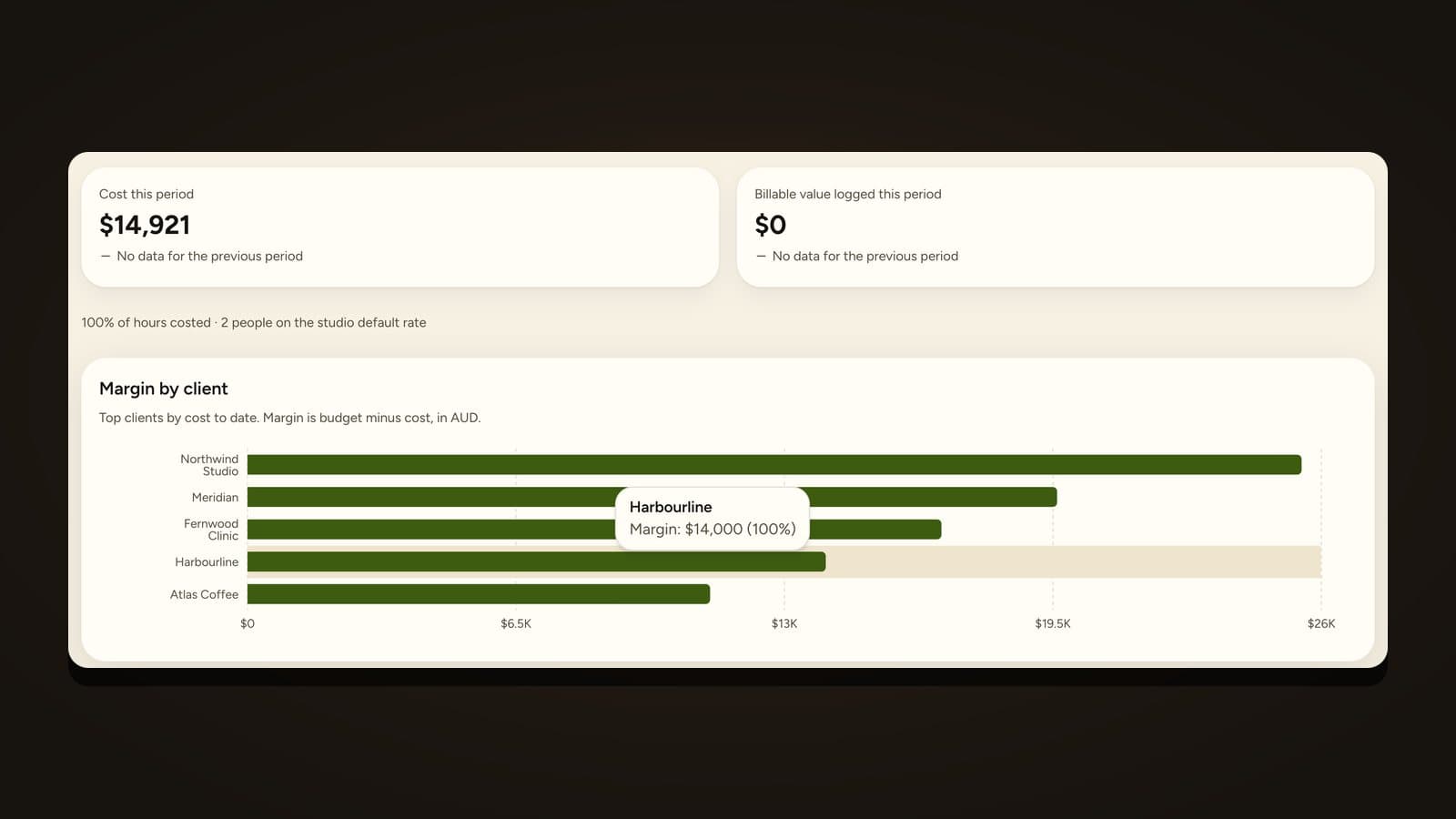
Margin per project is (fee minus cost) divided by fee. It uses cost rates, which are what each person actually costs you per hour. It answers whether the work, as delivered, paid for itself. The project margin guide shows the working.
Put the two side by side:
Utilisation says how much of the team's time went into chargeable work.
Margin says how much of the fee was left after paying for that time.
You need both. Utilisation without margin rewards being busy. Margin without utilisation can hide a team that is half idle.
Reading them together
Four combinations come up often, and each points to a different fix.
Utilisation low, margin healthy: you are well priced and under-sold. The fix is more work, or shifting expensive people onto the work you already have.
Utilisation high, margin low: you are busy and underpaid. Look at scoping, change control and pricing. The fixed-fee profitability guide covers where margin leaks.
Utilisation low, margin low: the problem starts in the pipeline or in planning. People are not on billable work, and the work they are on is not paying.
Utilisation high, margin high: protect it. Check that it is not being bought with overtime or with burnout that will turn up as resignations.
Set targets by role, not for the whole studio
A single utilisation target for the whole studio makes some people look slack and others look superhuman. Senior leads, producers and account people carry a lot of unbillable work: managing, pitching, reviewing. Designers and developers on delivery can sit higher.
A workable way to set targets: start from what the studio needs to earn, work back to the billable hours required at your average rate, then divide across roles with realistic unbillable loads. The result will not be a round number, and that is fine.
Why 100% is never the goal
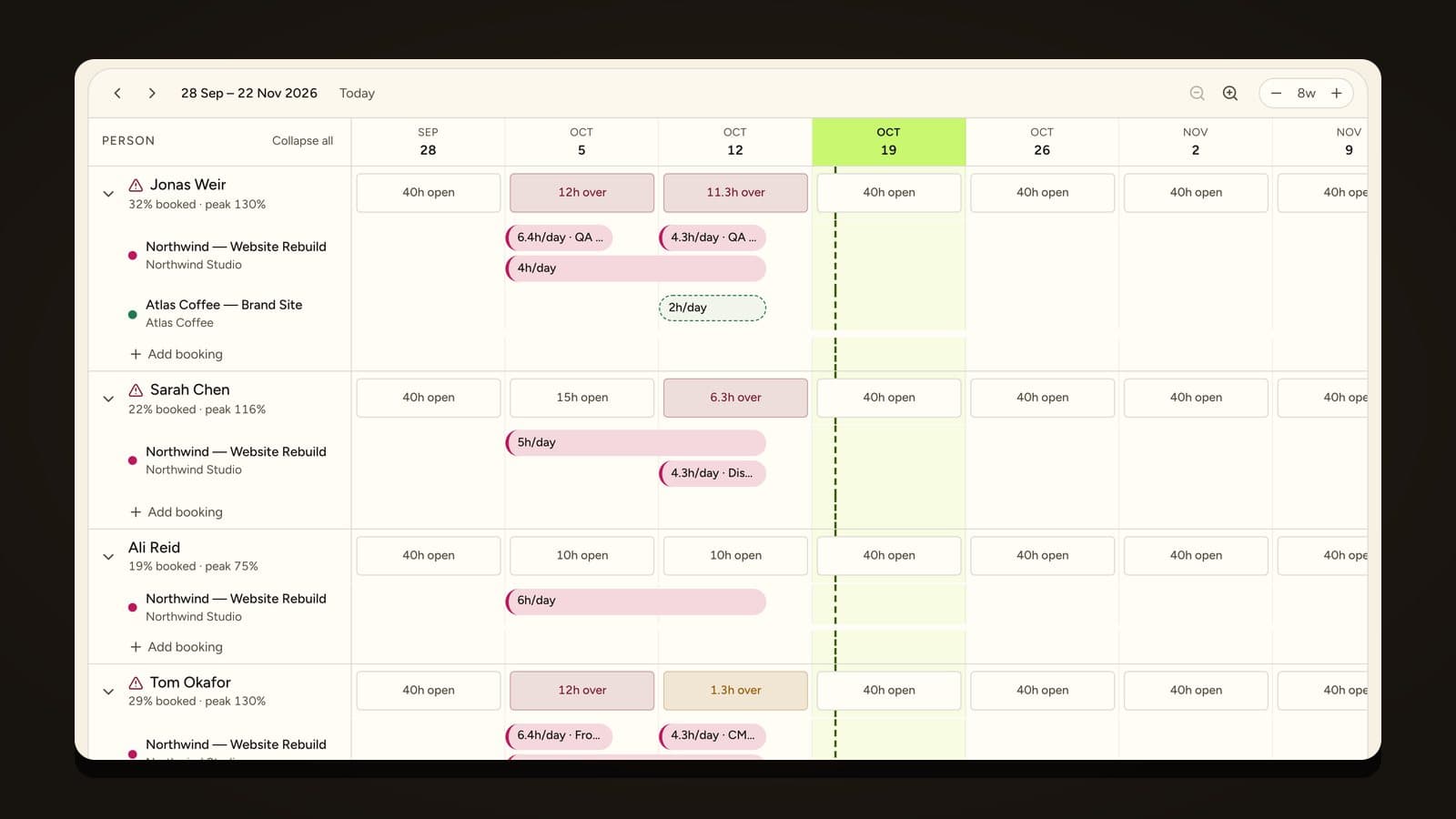
A team planned to 100% has no room for leave, a sick day, a round of feedback, or a late brief. The first thing that goes wrong turns the plan into a scramble, and the scramble costs hours that were never in the budget. Many studios plan people to around 90% of real capacity at most, and treat anything beyond that as overbooked. Sprintora flags anyone past 90% on the Schedule for this reason, and suggests a fix such as moving a task to someone with room. You decide whether to apply it.
Where to find the data
You need three inputs: available hours (from leave and calendars), logged hours split billable and non-billable, and cost rates. If the hours live in one tool, the rates in a separate sheet and the leave in someone's email, reporting both numbers takes a day a month, which is why most studios only report one.
Native time tracking helps because the same logged hours feed both calculations. In Sprintora, timers and timesheets sit next to the plan, so utilisation and margin come from the same entries.
A monthly review that takes 20 minutes
- For each role, compare billable utilisation with target.
- List the three projects with the lowest forecast margin.
- For each, ask whether the cause is scope, pricing or time spent on the wrong things.
- Decide one change for next month and write it down.
Four lines of notes a month, kept for a year, will teach you more about your studio than a dashboard.
Frequently asked questions
What is billable utilisation? Billable utilisation is the share of a person's available hours that were spent on chargeable work. It is billable hours divided by available hours.
What is a good utilisation rate for an agency? It varies by role and by how the studio prices work. Delivery roles usually target higher than leads and producers. Work out a target per role from your cost rates, overheads and margin goal instead of copying a figure from elsewhere.
What is the difference between utilisation and billable efficiency? Utilisation compares billable hours with available hours. Billable efficiency compares billable hours with logged hours. The first shows how much capacity went into chargeable work. The second shows how much of the recorded time was chargeable.
Can utilisation be too high? Yes. Persistently high utilisation leaves no room for leave, feedback rounds or a late brief, and tends to show up as errors, overtime and people leaving.
Why does margin matter more than utilisation? Margin shows whether the work paid for itself after the cost of the people who did it. A studio can be fully utilised and still lose money on fixed-fee work that overran.
Founding studios get Sprintora free until 31 March 2027, then A$12 per planned person per month. See pricing.