How to calculate project margin in a creative studio
By Huw Cushing, Founder, Sprintora · · 6 min read
Project margin is the share of the fee you keep after paying for the people who did the work. If you want a project margin calculator for your agency, the formula fits on a sticky note: (fee minus cost) divided by fee. The hard part is getting an honest number for cost, and getting it while the project is still running.
Most studios work it out at month end, when the bookkeeper sends the figures. By then the money is spent. This guide walks through the sums, an example you can copy into your own numbers, and the checks that keep the answer honest.
What project margin tells you
Margin answers a single question: after we paid for the time, how much of this fee is left to cover rent, software, the business development nobody bills for, and profit?
Revenue alone does not answer it. A A$60,000 project that took 700 hours and a A$40,000 project that took 300 hours can produce very different results, and the smaller one often wins.
Two terms get mixed up, so settle them first. Margin is a percentage of the fee. Markup is a percentage of cost. A 35% margin and a 35% markup are different numbers, and a studio that quotes with one and reports with the other will never reconcile its books.
The formula
Margin percentage = (fee minus cost) divided by fee, multiplied by 100.
The fee is what the client pays, ex GST. Cost is the loaded cost of everyone's time on the project, plus any direct costs you cannot pass on, such as a freelancer or stock licences you absorbed.
Step 1: Start with the fee the client actually pays
Use the current fee. If scope changed and the fee moved with it, use the new figure and note the date. A margin worked out against the original quote will look wrong for the rest of the project, and it will look wrong in a way that makes the team feel worse than the facts justify.
If part of the fee is a pass-through (media spend, print, hosting), take it out. Margin on pass-through costs is a different conversation.
Step 2: Put a cost rate on every person
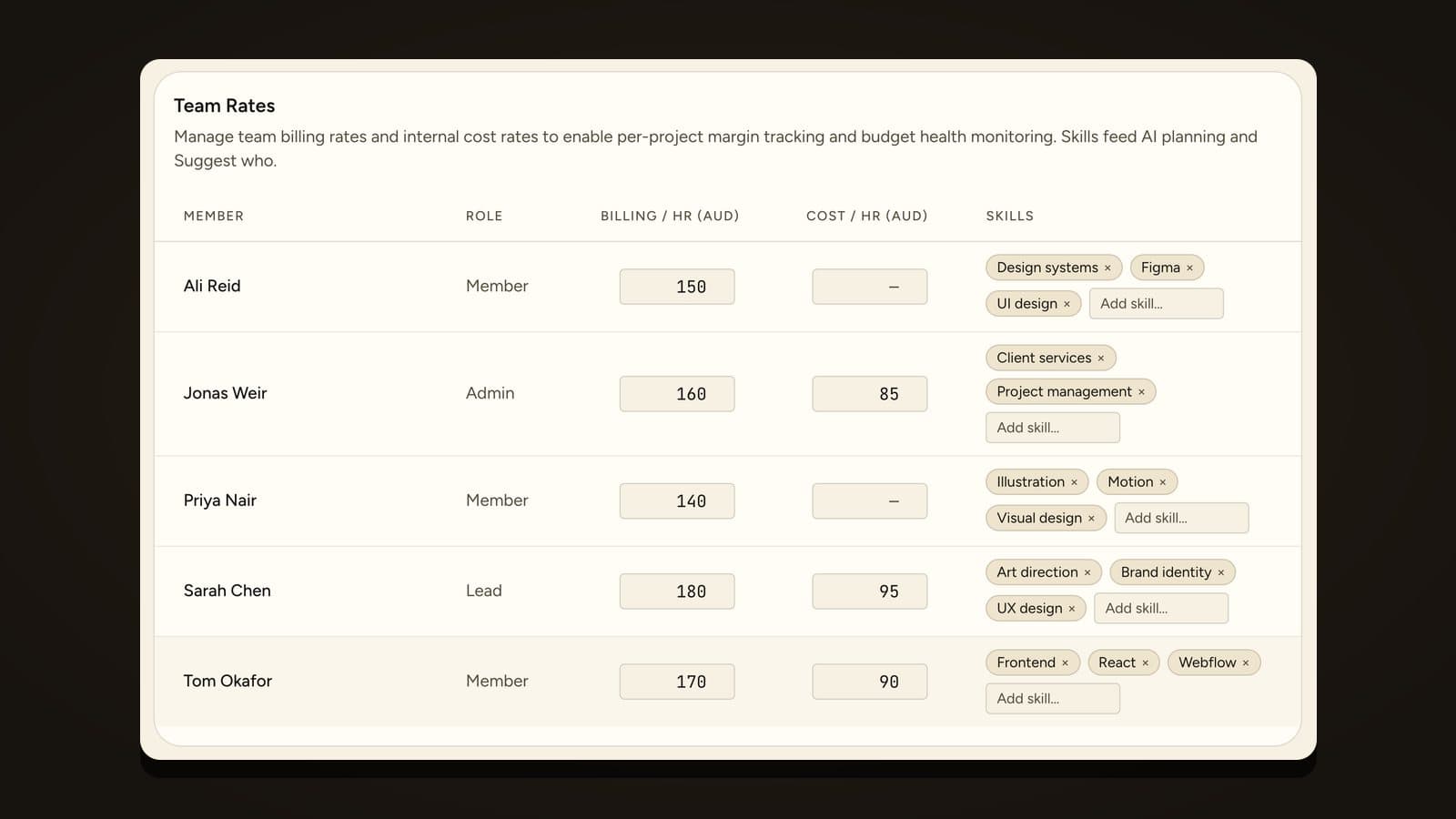
A cost rate is what one hour of a person's time costs you. It is not their bill rate. You work it out from salary, super and a fair share of overheads, divided by the hours they can realistically work in a year. The cost rate vs bill rate guide has the full working.
If you skip this step and cost the project at bill rates, every project will look far more profitable than it is, and you will discover the gap in your bank account.
Step 3: Multiply logged hours by cost rate
Add up each person's hours on the project and multiply by their cost rate. Add the results. That is cost to date.
This only holds up if hours are logged as the work happens. Friday recall is rounded, late, and biased towards the work people found memorable. A timer, or a timesheet that opens pre-filled from the plan, gives you numbers you can lean on. There is more on this in time tracking for creative studios.
Step 4: Work out margin today and the forecast
Here is an example with made-up numbers, so you can follow the arithmetic. A web build has a A$40,000 fee. Cost to date is A$26,000. About 70% of the work is done.
Margin today: (40,000 minus 26,000) divided by 40,000 gives 35%.
Now the forecast. If 70% of the work cost A$26,000, the last 30% will cost roughly A$11,100. Final cost lands near A$37,100. Final margin: (40,000 minus 37,100) divided by 40,000, which is 7.3%.
Same project, same Friday, two very different numbers. The 35% is accurate and nearly useless. The 7.3% is the one to manage, and it is the one most studios first see on the invoice.
The simple version of the forecast takes cost to date, divides by the share of work complete, and compares the result with the fee. It is crude, and the share of work complete is a judgement, but it is far better than nothing. Anything that tells you in week four that the end is heading for 7% rather than 35% gives you time to act.
Step 5: Check what the number leaves out
Three things make a margin figure look better than the truth.
Hours with no cost rate. If someone's rate is missing, their hours cost nothing in the sum, and the margin reads high. Any honest tool tells you how many hours are unrated. Sprintora shows a plain warning, "{h} h without a cost rate, so margin reads high", for exactly this reason.
Unlogged time. Someone fixing a file on a Sunday and not recording it is cost you never see.
Free work on the way in. Pitches, scoping and discovery calls that nobody billed still came out of your capacity.
Treat a margin figure as a best case until all three are covered.
What to do when the forecast looks bad
Act in the week you see it. You have four levers: re-plan the remaining work so cheaper hours do more of it, remove scope, raise a change request for work the client added, or accept the lower margin on purpose and protect the next project. The point of a forecast is to give you a choice while a choice still exists. The fixed-fee profitability guide covers the conversation with the client.
Make it a weekly habit
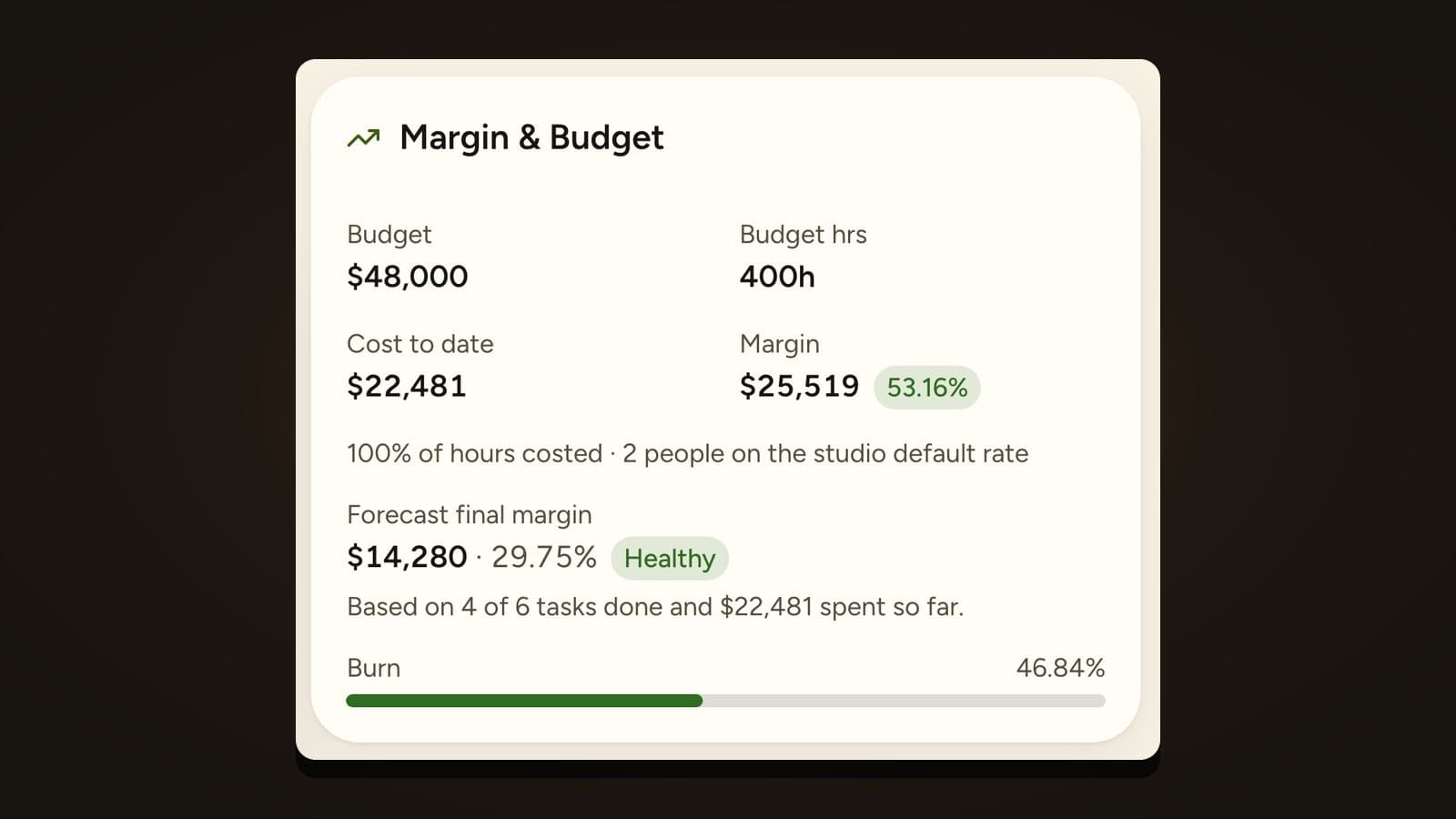
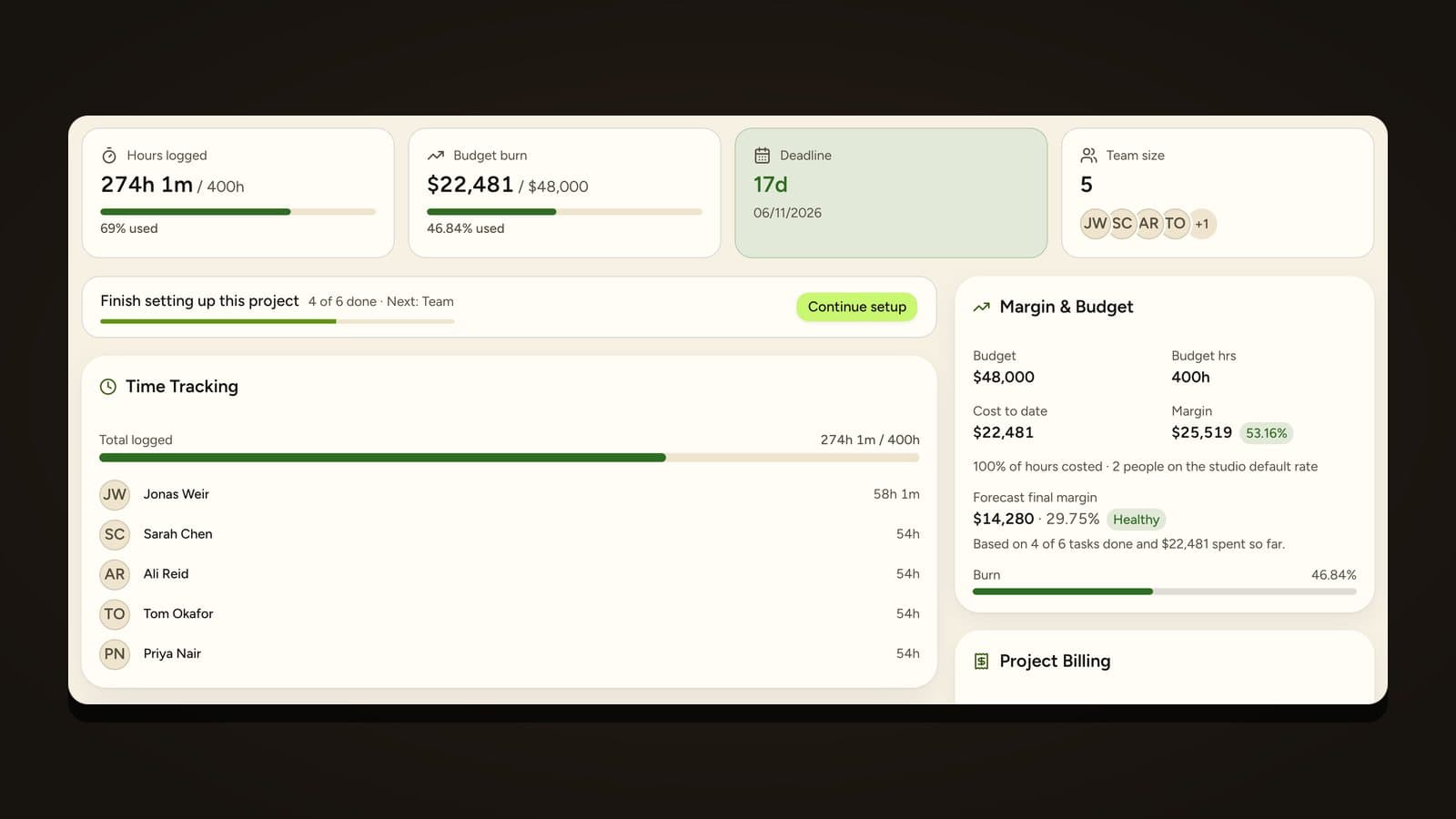
A weekly check of cost to date, share complete and forecast margin takes a few minutes per project. Sprintora does the sums for you: every logged hour updates the project's margin, and the project overview shows cost to date, margin and a forecast final margin. Margin and cost figures are visible to admins only, so a producer can plan without seeing anyone's pay.
Frequently asked questions
What is a good project margin for a creative studio? It depends on your overheads and what you need to keep. Work backwards from your running costs and the profit you want, then set a target margin for each project before work starts. A target you chose in advance is far more useful than a number borrowed from an article.
Should unbilled time count towards cost? Yes. An hour costs you money whether or not the client paid for it. Leaving unbilled hours out of cost is the most common reason a studio's project margins look better than its bank balance.
What is the difference between margin and markup? Margin is profit as a share of the fee. Markup is profit as a share of cost. A project costing A$65 and billed at A$100 has a 35% margin and a 54% markup. Pick one and use it everywhere.
How often should I check project margin? Weekly while a project is live. Monthly is too late to change the plan.
Do I need software to calculate project margin? Not to start. A sheet with fee, cost rates and hours will do for a handful of projects. Once you are running a dozen at once, the effort of keeping it current is the real cost, and a tool that logs the hours and does the sums is worth having.
Founding studios get Sprintora free until 31 March 2027, then A$12 per planned person per month. See pricing.